




Why Generic AI Fails Comms: And How Sequencr is Changing the Game
Generic generative AI tools were built for the general public. Which means for strategic communications, they were built for no one. A recent Workday study revealed that 40% of the time saved by using standard AI tools is immediately lost re-working, editing, and adjusting outputs to match actual brand context.
AI Generated Summary:
AUDIO FILE DOWNLOADKey Takeaways from the Discussion:
- The Re-Work Trap: Why general AI models lack situational awareness, forcing comms professionals to waste hours feeding prompt context and fixing generic copy.
- Agents vs. Agentic Workflows: Moving past simple prompt-and-response mechanics toward autonomous, multi-step workflows designed for PR use cases.
- Early Crisis Detection: How micro-trends across low-view channels (such as thousands of minor TikTok posts) build damaging narratives before legacy media monitoring picks them up.
- Targeted Influencer Matching: Utilizing deep knowledge graphs rather than surface follower counts to identify true brand alignment.
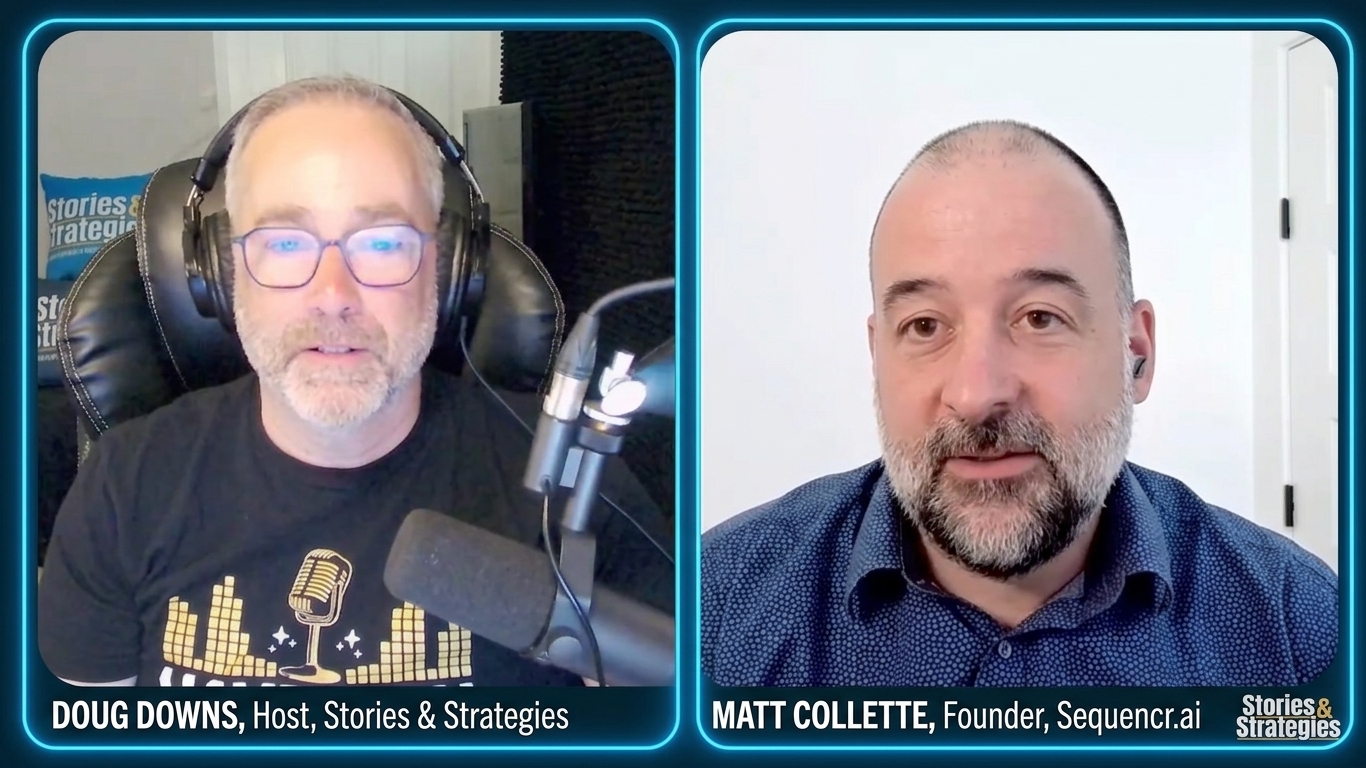
In this episode of Stories and Strategies, host Doug Downs interviews Matt Collette, Founder and CEO of Sequencr.ai, to discuss why comms teams are settling for generic chatbots and how agentic AI shifts public relations from reactive editing to predictive strategy.
While tools like ChatGPT generate technically competent text, they lack situational awareness, forcing communicators to spend 20 minutes editing and wrestling the output into brand voice. In this episode, Matt details how Stratum approaches AI differently by embedding communications logic at its core. Stratum continuously syncs news, social feeds, and organizational memory into a unified knowledge layer, eliminating repetitive prompt engineering.
Listen to the full episode here:
Interview Transcript
Doug: What if there were a tool that could show you your next public relations crisis, or a positive event, in advance of it happening, based on little signs on social media, clips from Reddit, maybe YouTube Shorts? Because that’s where the noise actually is. That’s where it begins. It starts with small things.
There is such a tool. It’s called Stratum. It’s by Sequencr AI, and it looks like this.
In this video, I’m talking to Matt Collette about Sequencr AI and Stratum.
Doug: You got so tired of watching communications professionals fight tools that were never built for them that you built one that was.
You’ve spent this time being hired by major organizations to train their communications teams on AI tools. At some point, the little LED light bulb in your brain went off and you thought, “You know what? There’s more to this. Never mind just working with these tools. How about we build one ourselves?”
Matt: Yeah. We do a lot of enablement training and change management, helping communications, marketing and agency teams adopt, apply and scale the use of generative AI within their teams.
Anytime we train a team, we do a survey to get a baseline of where people are with respect to adoption, how they’re applying the tools and so on.
One of the questions we ask is: “What superpower do you wish these generative AI tools had?” It’s a really good way to get insights into the use cases people actually want to apply.
A lot of folks are focused on the tools themselves: ChatGPT, Copilot, Claude. They’re not necessarily focused on, “How can I apply this to a specific use case that we have?”
There were some use cases that just kept coming up over and over again. Media monitoring is one of the top use cases we’ve seen across all the different surveys we’ve done, and we’ve gotten responses from more than a thousand people.
We were seeing the same use cases coming back, and we were also hearing the same types of feedback from people.
People would say, “I’m using Copilot. I’m using ChatGPT. But I’m spending a ton of time editing the outputs I’m getting, refining them and tweaking them to get them to a place where I’m happy.”
A lot of that is about context management. You’re having to manage the context you put into the tools and repeat that context over and over again.
Another thing we heard was that these generative AI tools often don’t have access to the data people need. A lot of news sites block access from ChatGPT, Claude and other tools.
So if I go onto ChatGPT and say, “Write a media monitoring report for me,” it might only capture 10 or 20 percent of all the coverage that’s actually out there.
One day, I was exercising and watching a YouTube video about generative AI. There was a guy talking about how he had fine-tuned or trained an AI model to identify images on an e-commerce site and replace them with more appropriate images.
I thought, “If we could fine-tune models to be more oriented to the needs of communications users, that could solve a lot of the problems we’re currently seeing with generic tools like ChatGPT, Copilot, Claude and others.”
When we first started Sequencr, the idea was that we would build custom agents for teams on existing infrastructure.
But the more we worked with those tools, the more it became evident that this wasn’t possible at enterprise scale, given the kinds of ways people wanted to use them.
So we decided to build a tool ourselves, and we’re calling it Stratum. I’ll show it to the people who are watching the video.
Doug: Stratum is like layers of skin, if you didn’t know. I had to look it up.
Matt: That’s right. It’s about layers, and our architecture is a layered architecture.
What you’re seeing right now is our test environment.
Doug: It looks like a GPT page to me. It looks exactly the way Claude or GPT looks.
Matt: That’s intentional.
One of the things we know is that people want to have a conversation. We’ve entered the conversational era of using technology.
People want to chat. They want to ask questions. They want to ask open-ended questions. They don’t want to think about keywords they need to enter into a tool.
So we replicated that type of experience because we know engagement with this technology goes up when you make it easy for people to access and easy for people to use.
When you log into Stratum for the first time, you essentially get a chat box, as you described, Doug, right in the center.
You can enter any prompt you want, and you can choose between basic chat, which replicates what you would get on Copilot, ChatGPT and other generative AI tools.
You can select different models you want to use, such as a thinking model or an instant model, just as you would on those other tools.
You also have options to search the web, access the knowledge base, which I’ll come back to, generate an image, generate video content and so on.
On the left-hand side of the screen, you’ve got your conversation history, every chat you’ve had before, just like ChatGPT or Copilot.
You’ve also got options such as the content studio we’ve created, a risk monitoring dashboard, which we’ll come back to, and a narrative dashboard.
We also allow people to save prompts. If there’s a prompt you use all the time and you don’t want to type it into the tool every single time, you can save it and use it again.
We’ve also got a notification center for anytime our platform performs an action for you.
I want to explain the architecture because I think that’s important for people to understand.
One of the things we’re really intent on is not just addressing the productivity needs people have with generative AI, but also looking at the other side of the equation: How can I improve my impact?
Ultimately, I believe generative AI is a huge tool for individual, agency and team empowerment. There is so much more we can do with this technology now than we could do before.
Just as we saw with the advent of the internet and social media, we now have more democratized access to knowledge, data and information.
But ultimately, we want to use that not just to do things faster, but to do them better.
We want to use knowledge and data to our advantage so that we can make our way through all the clutter and noise that is out there and find opportunities that are unique to our organizations, companies and communications situations.
The goal is to have a bigger impact through the work we’re doing.
So we’re very focused on the impact side of how generative AI can help people.
That means taking advantage of the intrinsic strengths of generative AI, whether that means simulating different scenarios, emulating different voices or even predicting outcomes over time.
Generative AI is also incredibly good at synthesizing large amounts of information and boiling it down into insights you can take advantage of.
That’s really the objective we have with the tool: empowering people with insights and knowledge, versus thinking only about the productivity side.
The architecture of Stratum is based on the three layers I mentioned earlier.
The first layer involves ingesting news, social media, forum data, government data and newsletters. We can also ingest internal data, including performance data on how your campaigns have been doing over time.
We pull all of that into a knowledge base, which is basically a fancy way of saying a database, and into a knowledge graph, which is a way for us to organize information.
That knowledge graph builds topic clusters that help sort different narratives and stories together based on how they logically fit.
For example, if you make a product announcement, all of the news related to that product announcement might sit in one topic cluster.
If you make a leadership announcement, the news and information related to that leadership announcement might sit in another cluster.
That allows our models to traverse the information more easily and understand the connections between all the different entities involved.
Entities could be things such as the CEO making a statement as part of your product launch, the name of the product you’re launching, the product’s features, where it’s available for sale and so on.
The AI models can then understand the relationship between those different pieces of information and provide insights and answers to your questions in a way that is easier for communications users to access and understand.
On top of the knowledge base, we have AI models, just like you have on ChatGPT, Copilot or anywhere else.
When you prompt those AI models, they’re accessing information from within the knowledge base.
Then, on top of that, we have agents that execute workflows.
We have agentic processes, and we also have AI agents on the platform. Those include things like media monitoring, social media monitoring, a research assistant and so on.
Doug: Real quick, what’s the difference between agentic and an AI agent?
Matt: There’s a lot of confusion around this because there’s a lot of information about both things.
Agentic is basically a workflow, a defined workflow that you have encoded as a step-by-step process.
Take media monitoring as an example. You need to research all the news. Then you need to read it. Then you need to synthesize it and write a report.
An agentic process is essentially all of those steps laid out for a model or agent to execute in sequence.
An agent is more goal-oriented.
You give the agent a goal, such as, “Write me a media monitoring report,” and it develops a plan on its own rather than following a process that has already been prescribed.
So we have both.
We have agentic workflows that we’ve already defined, and we have agents that can follow a specific goal or outcome you have in mind and then decide how they want to execute against that objective.
Doug: Perfect. Keep going. Do you have an example?
Matt: If I were to give you an example of how this whole thing works together, take a social media monitoring agent.
You go onto the tool and say, “I want a social media monitoring report covering news about our company from the last seven days.”
The agent executes an agentic process that starts by doing the research and collecting all of that information.
What it’s actually doing behind the scenes is prompting a model.
It’s telling the model, “I’ve got all of this information I gathered. Let’s write the report.”
The models are generating the content, and the models are getting their knowledge and data from the knowledge base.
So the models are working with the knowledge base, and the agents are working with the models. That’s how it all comes together.
Doug: Could it theoretically help me identify the source of an issue?
Let’s say I’m having an issue and something has blown up. I’m getting negative attention on social media.
Can I track the source? Can I find the influencer, or a series of bots spreading disinformation, that might have led to it?
Matt: That’s the idea.
We’ve built the platform around a series of use cases.
The first one is content generation. Any kind of content you want to create or generate, you can go onto the platform and put in a prompt.
You can also use basic chat to do basic reporting and get insights into news and information that has been propagating as it relates to your brand or your competitors across different publications.
You can look at social media platforms as well and, as I mentioned, generate images or video content.
On top of that, we’ve got a whole series of different agents.
One of the first ones we started with was media monitoring.
Before I show that, though, I want to show basic content generation.
If you were to go onto Copilot, ChatGPT or another tool and use a generic example like, “Write me a blog post about coffee,” which is an example I use all the time, you’re going to get a pretty generic version.
You might get something like “The Daily Coffee Ritual,” or “Bean to Cup.” You’ll get phrases like, “It’s more than just caffeine,” or “The perfect cup awaits.”
It’s totally generic.
That’s because it’s pulling from the model’s general knowledge, which was encoded during the training process from all the information it was trained on.
Now I can take the exact same prompt, but this time select the knowledge base.
When I select the knowledge base and say, “Write me a blog post about coffee,” the model goes into the knowledge base and looks for recent news and information that has been published about your company.
It then finds a way to adapt the topic of a blog post about coffee to recent news and information about your organization.
Doug: So if I just published something saying we now have orange widgets, it’s going to publish a blog about coffee and somehow connect it to my orange widgets announcement?
Matt: That’s right.
Now you don’t have to add all that context yourself because the context is sitting in the knowledge base.
It’s being collected for you and it’s there for you to access anytime.
You can provide a more specific prompt and say, “Write me a blog post about coffee related to my orange widgets,” but you can keep it generic as well.
What you’re seeing on the screen, and for those who are listening, is that we’ve kicked off a search of the knowledge base.
We’re looking at all kinds of different topics. This is our test environment, so we’ve ingested data for Mastercard as a topic.
Coffee and Mastercard aren’t naturally connected, so it’s a good way to show how this works.
We’re looking at recent announcements they’ve made, content being published on different news sites, even posts on X. We’re pulling all of that in.
The system then synthesizes the information.
Instead of a generic blog post, we’ve now got one that’s very specific, such as one about “The Science Behind Every Sip.”
It references recent announcements Mastercard has made, including its Agent Pay announcement, the culture of the company as outlined in various articles published about it recently, or how Mastercard facilitates payments for coffee purchases around the world.
That shows how the system works.
Everything is cited, so we’ve got citations for the different sources we pulled from, including Mastercard sources and news publications.
Those sources will change based on your prompt. It will use different pieces of data.
But right from the start, you’ve got a blog post or piece of content that’s oriented toward your company or organization rather than having to inject all that context yourself.
And you have access to all that news and social information at your fingertips.
Doug: So it basically understands my company, and not just my company, but the key messages I’m focused on right now.
We always talk in PR about staying on message, and the course is always shifting slightly. This does that for you.
Matt: That’s right.
From here, if I want to run an agentic process, I can go into chat and select an agent.
We’ve got a couple in here that we’ve been experimenting with and testing, so you’re seeing different versions.
I’m going to choose my media monitoring agent.
I’ve already run an example, so I’ll switch over to that.
Here I’ve prompted: “Please write a media monitoring report for me for SpaceX based on news from the last four days.”
The first thing the agentic process does is come back and give you a plan.
It gives you a brief, just like you would give an agency, team or individual a brief when you’re delegating something.
The brief says, in effect: “I’m going to look for news about SpaceX from the last four days, June 18 to June 22. Here are the research angles I’m going to look for, and here’s what I’m going to produce.”
So you’re essentially seeing some of its planning process.
Then it does the research. It goes across the available information and synthesizes that into a report.
We’ve got a SpaceX media monitoring report here based on news from different sources.
We’ve organized it into top stories, other stories of note, industry and competitor coverage, CXO commentary, risks and opportunities, and then a list of all the articles we identified about SpaceX over that period.
Doug: One of the main reasons I would use a tool like this, Matt, is crisis communications.
You’re a big believer that a crisis doesn’t necessarily come from one big storm. It can almost be like Chinese water torture: drip by drip by drip, and suddenly the narrative has gotten away from you.
This is a tool designed to find it, calculate it and report that something is starting to build.
Matt: That’s right.
We’ve got our media monitoring agent and a couple of others, which I’ll come back to, but the narrative, issues-management and tracking piece is a big part of what we’re working on.
We track that through what we call our narrative dashboard.
The narrative dashboard allows us to collect and display, on either the promote side or the protect side, what is being discussed about your company or competitors across the broader information environment.
We have a couple of agents that are looking for new news and information.
Once they detect new information, they take that data and put it into one of the topic clusters I talked about earlier.
We then surface those topic clusters in the narrative dashboard.
There are a couple of different things you can do from there.
You can jump into any of the clusters and see data and information related to that specific cluster.
When I’m in the narrative dashboard and click on one of the issues, I can see an issue description, a narrative summary, articles related to that issue, and top amplifiers showing where most of the published information is coming from.
I can get a sense of sentiment, whether positive, neutral or negative, and I can see a risk score that we’re calculating in real time to identify whether it’s a high-risk or low-risk scenario.
That allows me to access the underlying data and identify trends that may be rising.
For example, you might have an issue that is appearing with a lot of frequency. It keeps coming back over and over again across multiple news sources and social media sources.
We can track that over time and show the impact on the brand.
That means you’re not only dealing with a crisis or risk that suddenly appears and gets a huge amount of attention in a short time window.
You’re also looking at issues that might be longer-term and could be eroding confidence in the brand or eroding reputation through the sheer frequency of the information, rather than through high volume at any single moment.
That is one of the main objectives of the narrative and crisis-risk dashboards we’ve created, as well as the agents that provide insights around those issues.
Doug: Amazing. And there was one other thing you wanted to talk about?
Matt: The other thing we’ve been working on, which is coming out soon, is our influencer identification agent.
I can go in and say, “I’m launching a new battery-powered lawnmower for the U.S. market. Can you search for influencers who have between 50,000 and 150,000 followers across Instagram and TikTok?”
What our platform does is search for cultural moments and events happening in the U.S.
Based on that search, it develops a search strategy.
We essentially get a brief back from the agent saying: “These are the cultural moments. This is what’s happening in the coming months, and this is the suggested search strategy you should apply.”
It might say we’re looking for U.S.-based creators in the DIY space, gardening tips and related categories within the specified follower range.
Once the user approves the search strategy, the system goes out and looks for influencers.
It finds a group of creators, reviews their content and makes recommendations about who you should consider working with.
Here, for example, we have our recommended influencers.
I can dive into one of them and see the bio, why the influencer was chosen, their match rate, engagement score, follower fit, topic relevance, bio alignment and other data.
I can also see things like average likes, average comments, sentiment, follower growth and recent posts to help me decide whether I want to work with that influencer.
If I like what I’m seeing and want to find similar influencers, I can click “Find Similar Creators” and the platform will go out and search for creators who resemble that one.
Or I can generate a pitch note, and it will create that pitch note for me.
That’s one of the tools we’re excited about because it collapses a number of the different steps involved in finding and shortlisting influencers into an agentic process you can run through the platform.
Doug: I’m selfish, so I have to ask. Would you find podcasters in that list, or is it mainly social media?
Matt: Right now, it’s mostly social media.
We cover TikTok, Instagram, YouTube and a lot of the other platforms as well.
Doug: YouTube would include podcasters.
Matt: Right.
If you’ve got a presence on YouTube, we can discover and shortlist creators there.
For podcasters specifically, we can also add the appropriate data feed and help find relevant podcasts that people might want to pitch.
Another one people have asked about is newsletters.
Newsletter discovery and recommendation is another strong use case, so that’s another feature we’re planning to add.
Doug: Big Substackers and big Spotify creators.
Matt: Exactly.
Doug: There are so many channels.
Something like this, Matt, I would normally disregard because I’d assume it costs $10,000 a month or something like that.
Matt: No.
What we’re doing is selling it on an hourly basis.
We don’t charge based on seats. You can have as many users or as few users as you want.
We charge based on consumption.
If your team is going to use 15 hours of agent time a month, we start at around $595 per month. The next level is around $1,500 a month, and then around $4,000 a month.
As you move up, you get more agent hours, more capabilities and more features, including things like custom feeds, custom agents and agentic processes that we can build.
When you go onto the platform and prompt it, we’re only counting the time from the moment the agents are actually working.
If they’re not working, then you’re not consuming agent time.
So far, the people we’ve spoken to like that model. They like the idea of paying based on consumption rather than seats.
That’s why we decided to start with agent hours.
Doug: This is really cool. I appreciate you showing it and describing it here today, Matt. It’s great to connect with you.
Matt: Thanks for having me, Doug.